 Myrna
MyrnaDog advice is easy. Understanding your dog is different.
Show Myrna a moment. It combines what it can see with your dog’s history, then helps you decide what to try next.
Myrna describes visible behavior. It does not diagnose or claim to know what a dog is thinking.
Visible cues
- 00:00Looks back over the shoulder. Soft mouth, relaxed face.
- 00:01Ears up and forward, aimed at the open doorway.
- 00:04Nub tail wags fast and wide. The whole rear end sways.
- 00:07Sitting, body loose, weight forward. Face hidden from camera.
- 00:09Wag slows and stops. Ears stay forward.
Context
“Someone just came home.” Corgi, 3 years, usually excited at the door.
What they could mean
A loose, wiggly body with forward ears usually points to happy anticipation. The look back reads as checking in with you, not worry.
What to try next
If door excitement tips into jumping, ask for this same sit before the door opens and reward it while the body is still loose.
Same question. A different kind of help.
General chatbots can be useful, and Myrna uses a general AI model too. The difference is what it brings to the answer, and what happens after it.
Pepper keeps stopping halfway through our evening walk. Why?
| A general chatbot | Myrna |
|---|---|
A general explanation Lists the usual reasons dogs stop: smells, tiredness, fear, sore paws. | Identifies visible cues In your clip, his ears go back and his weight shifts away from the road at 00:06, as a bike passes. |
Depends on the current prompt Works from what you remember to include in the conversation. | Uses your dog’s profile and earlier context Knows Pepper is 3 and that you told Myrna bikes startle him. |
Gives advice Ends with a list of tips to try. | Connects advice to a Path Suggests one step, and points to the Path that practices it. |
The conversation ends Picks up only when you come back and explain again. | Reviews the next attempt Send tomorrow’s walk, and Myrna compares it with the session’s “Done when.” |
A written example of the difference, not a recorded conversation.
Show Myrna the moment
Choose a short clip from your phone or computer. Myrna watches the visible cues, asks for the context the camera missed, and gives you a practical place to begin.
- Your first reading needs no account.
- Five to thirty seconds with the whole dog in frame works best.
Myrna stays with you after the answer.
Every chat, clip, and Path belongs to one of your dogs, so each step starts where the last one left off.
1Chat
Ask anything, with or without a photo or clip. Each answer starts from your dog’s profile and what you’ve told Myrna.
He jumps on everyone at the door. How do I stop it?
Often it’s excitement looking for attention. Toss treats on the floor as guests step in.
Profile updated. Age: 3 years
2Path
Practice step by step, one session at a time, with a clear “Done when.” Every Path uses rewards, not force.
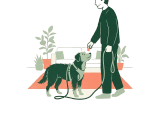 A loose leash
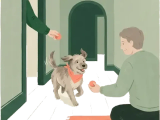 A recall that works
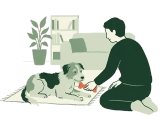 Settle down on cue
Session 3 of 7 Pause any time, your place is kept
3Check-in
Send a clip of the attempt or say how it went. Myrna suggests one adjustment; you decide whether to repeat or move on.
- What I could see
- Six loose steps, then a pull toward the hedge at 00:09.
- Done when
- Ten loose steps on a quiet street. Not yet.
- Next time
- Repeat this session with a treat ready before the hedge.
Your dog’s page keeps it together: the profile, every chat, a gallery of photos and clips, where you are on each Path, and what Myrna remembers, which you can read, correct, or clear. The examples above are written; there are no scores, just what was seen, what wasn’t, and a suggestion you can take or leave.
What works today, and how Myrna handles your data
Works today
- Video readings of a short clip, with one free reading before you sign up
- A profile for each of your dogs
- Chat with Myrna, with photos and videos
- Memory for each dog that you can read and clear
- Training Paths, one session at a time
- Video check-ins on the session you’re practicing
- Progress through each Path, with pause and resume
- A gallery of your dog’s photos and clips
- Tribe groups and expert profiles
Your dog and your data
- Myrna describes what is visible.
- It also says what the camera couldn’t show.
- It doesn’t know what your dog thinks.
- Interpretations use words like “could” and “usually.”
- Context can change the reading.
- What happened before the clip, or off camera, matters, so Myrna asks for it.
- It doesn’t diagnose.
- Pain, illness, fear, and aggression belong with your vet or an experienced behavior professional.
- Where your clip goes.
- Clips and photos are sent to Google’s Gemini model on Google Cloud to be read. Our key stays on our server, never in your browser.
- Without an account,
- your clip isn’t stored. The written reading and your note are saved without your name, so you can add them to an account within a day.
- With an account,
- clips, chats, and your dog’s profile are kept privately. Delete a chat, a dog, or your whole account at any time, and the clips go with them.
Help shape what we build next
- Ideas for things to enjoy together each day
- Practice reminders that fit your routine
- Adaptive Paths built from smaller training blocks
- A short video lesson for every session
- A fuller story of your dog’s progress over time
- Working with your trainer inside Myrna
None of these are in the app yet, and there are no dates. Tell us what would help, and we’ll write when there’s something new to try.
Questions
Can Myrna know what my dog is thinking?
No. Nobody can. Myrna describes what the body shows at each moment and what that combination commonly means in dogs, using words like “could” and “usually.”
Is this a diagnosis?
No. Myrna does not diagnose medical or behavioral conditions. Behavior changes can have medical causes, so talk to your vet when something is new or worrying.
What kind of video works best?
Five to thirty seconds, steady, in good light, with the whole dog in frame. Face and tail both visible is ideal. MP4, M4V, WebM, or MOV up to 20 MB and a minute long.
What happens to my video?
It is sent to Google’s Gemini model on Google Cloud to be read. Without an account, Myrna does not keep a copy; only the written reading is saved. When you’re signed in, the clip is saved privately with its chat or Path so you can watch it again, and deleting that chat, Path, or dog deletes it.
What does Myrna remember?
Each chat keeps your questions, Myrna’s answers, and what it saw in your clips. Every chat knows the profile of the dog it’s about. Myrna also keeps a short note per dog and the facts you’ve told it. You can read, correct, and clear them on your dog’s page.
When should I contact a professional?
Growling, snapping, sudden changes, limping, or signs of pain or fear belong with your vet or an experienced behavior professional first. Myrna can help you describe what you saw, but it does not replace hands-on help.
What works today?
Video readings, dog profiles, the chat with photos and videos, dog memory, training Paths with video check-ins and progress, galleries, and the Tribe. The full list is in what works today.
A lifetime together gives you a lot to learn about each other.
Start with one moment you’d like to understand, and see what Myrna notices.
Try a free video reading